
Home How it works Features Reviews FAQ Learn Pricing Add to Shopify Store Add to Square Store
Fundraising for Shopify & Square

Fundraising for Flower Shops

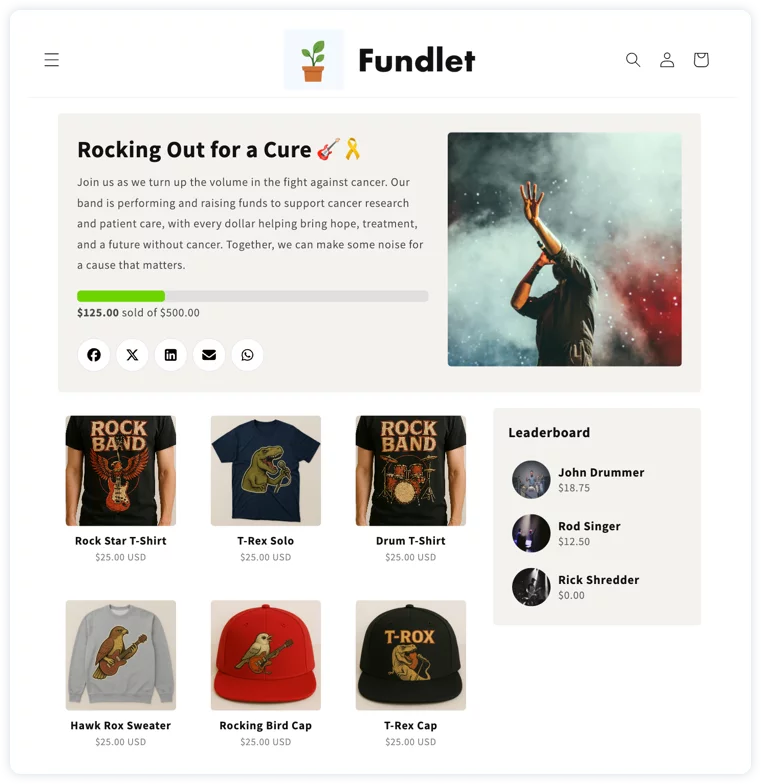
Run fundraisers directly from your own store. Your products, your checkout, your customers — with every sale tracked by campaign and participant. Set up in minutes, no code.

A Fundlet campaign page running on a Shopify store
5 MinutesSetup time
4.9 ★App store · 22 reviews
UnlimitedFundraisers at once
1 linkPer fundraiser
Any orgSchools, teams & churches
What's inside

Everything the fundraiser needs, inside the store you already run.

01 — Built into Shopify

No separate platform.

Fundlet runs entirely inside your existing store, so your fundraiser lives where your products already are — no extra logins, no second checkout.

  • Installs in one click from the Shopify App Store
  • Uses your existing products and collections
  • Works with any Shopify theme
A Fundlet campaign page
02 — Simple onboarding

One link. Zero spreadsheets.

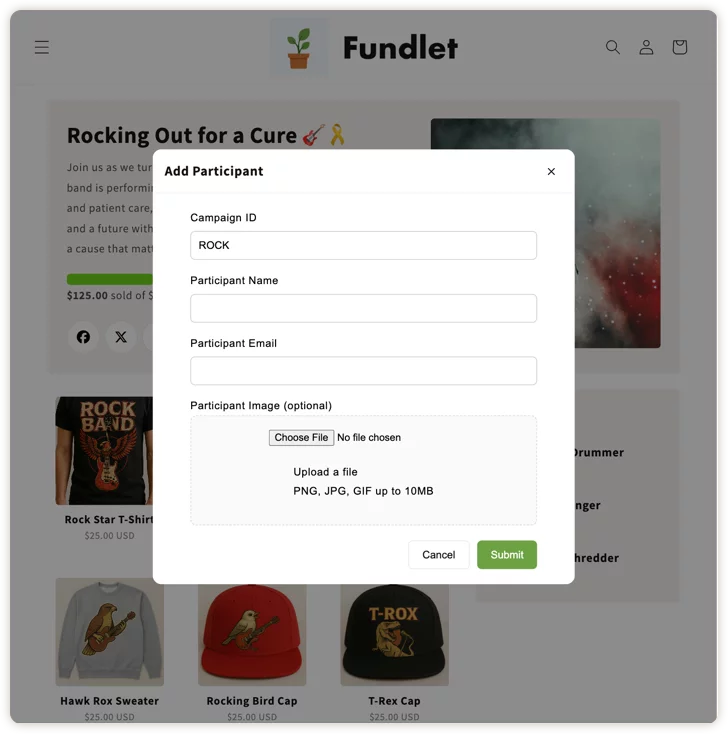
Get campaigns and participants set up fast with built-in onboarding forms — no manual spreadsheets or external tools required.

  • Add campaigns directly from your Shopify homepage
  • Share a single link to onboard participants
  • Works on any device
Fundlet onboarding form
03 — Sales tracking

Every sale, automatically tracked.

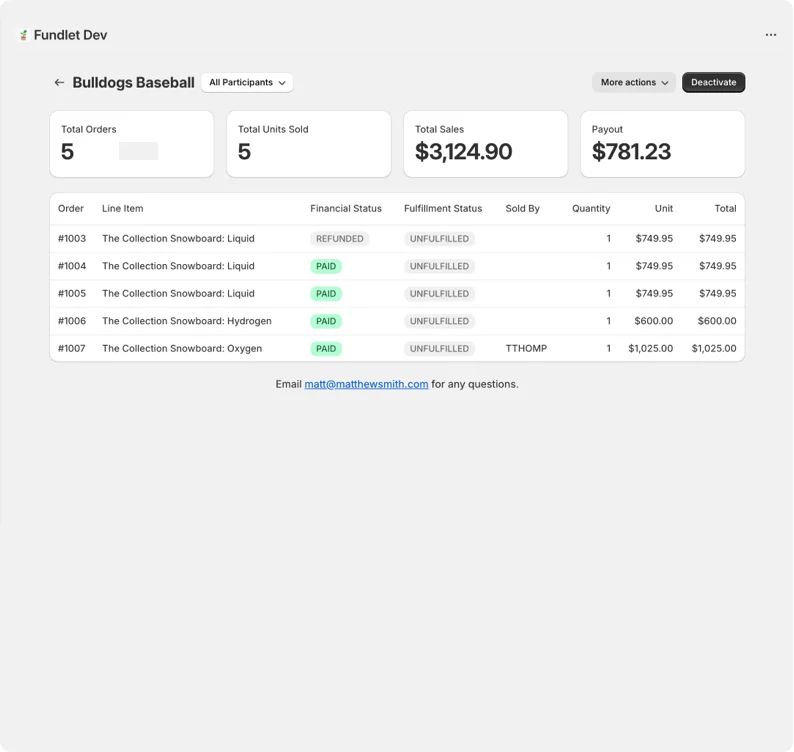
Know exactly how your fundraiser is performing with per-campaign and per-participant reporting built into your Shopify admin.

  • Dashboard to track progress toward goals
  • Track sales down to the individual participant
  • Exportable reports
Fundlet tracking dashboard
Popus Gourmet Popcorn
★★★★★

THIS IS THE BEST!!! Mathew is SUPER responsive! We launched our initiative and raised over $11,000 in less than a week! It works great, highly customizable. Self contained in house fundraising has never been easier. Especially if you are a shop and need to host multiple fundraisers.

Popus Gourmet PopcornShopify App Store · United States

Short answer: Yes — a florist can run flower fundraisers from its own Shopify store. Fundlet adds campaigns, per-participant tracking, and payout calculation to your existing store, which makes it a strong fit for seasonal drives around Mother's Day, spring, and graduation.

Flowers are a natural fundraising product — they're a gift people are already planning to buy, which makes them an easy sell for any participant. With Fundlet, your flower shop or floral studio can run fundraising campaigns for schools, PTAs, sports teams, and community groups directly through your Shopify store.


Built for Seasonal Campaigns

Floral fundraisers peak around Mother's Day, Valentine's Day, and spring — some of the highest-volume gifting periods of the year. Fundlet lets you spin up a campaign quickly to capture that demand:

  • Create a campaign in minutes with your seasonal arrangements or pre-designed bundles
  • Set a fundraising goal and open it to participants right away
  • Supporters order online and you fulfill on your normal schedule
  • Close the campaign before your key fulfillment date and process orders in one batch

Pre-Order Fundraisers Work Perfectly

Florists often work best with advance orders rather than on-demand fulfillment. Fundlet's campaign structure is ideal for this — you collect all orders during the campaign window, then fulfill everything when the campaign closes. No surprise orders, no scrambled inventory.


Every Organization Gets Its Own Page

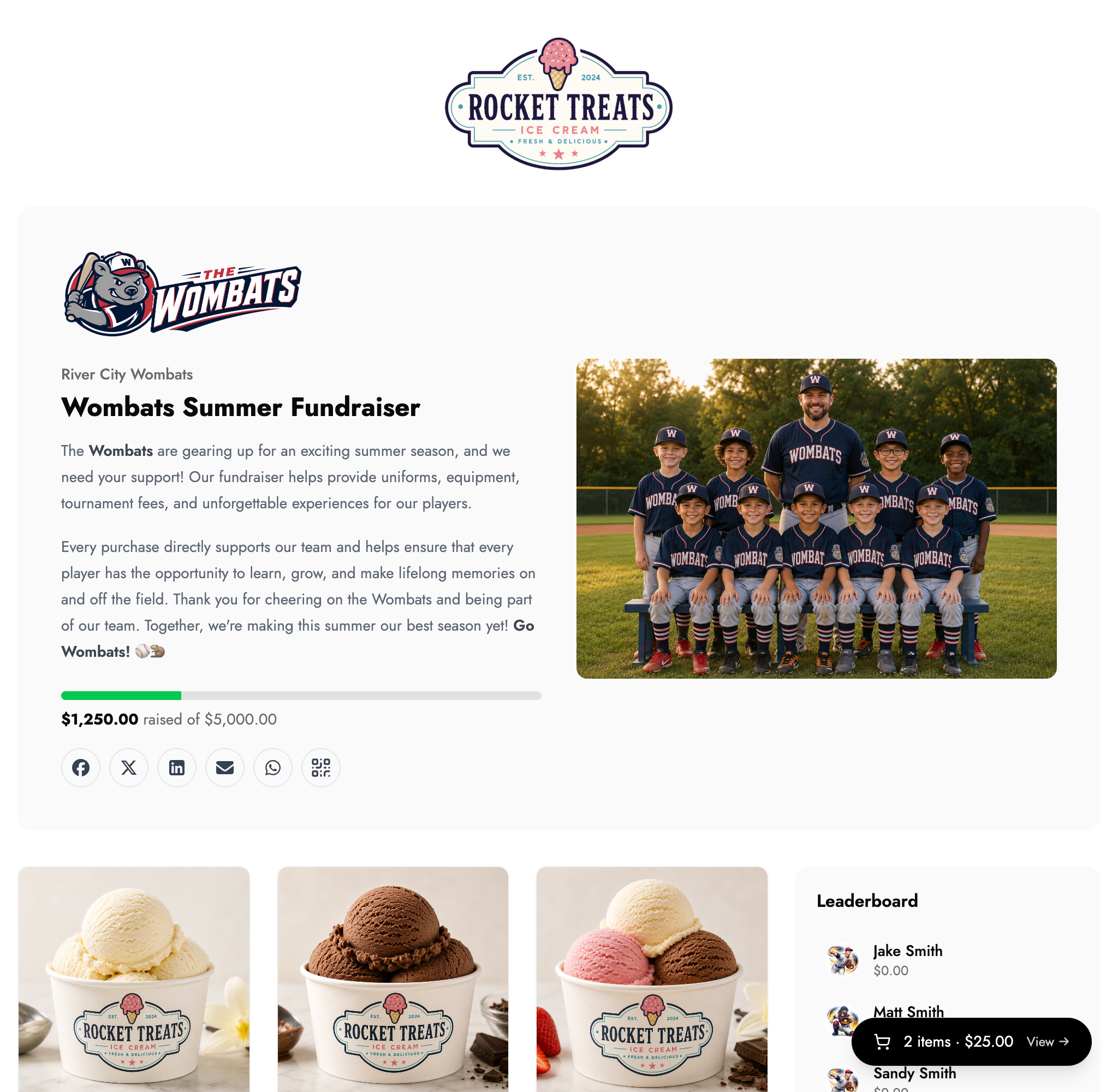
Each campaign gets its own landing page with a custom photo and goal tracker, so the school or team feels like the fundraiser was designed just for them. You manage all active campaigns from a single view in your Shopify admin.


Install Fundlet on Shopify and launch your next floral fundraiser today.

See also: Fundraising for Small Businesses for a full overview of how Fundlet works.
Get started

Launch your first fundraiser this afternoon.

Install Fundlet on the store you already run and start your first campaign today.

Square

You'll connect your Square account next

Fundlet uses Square's secure sign-in to link your store. You'll be asked to log in to Square and approve access — it only takes a moment.

Continue to Square